

Setting Up Webhooks
Biz Core pushes real-time HTTPS notifications to any endpoint you configure when a record changes status or when an application is sent to an External Decision Engine.
This page covers how webhooks work, how to register one, and how to monitor executions. For event-specific payloads and status reference, see:
How It Works
sequenceDiagram
    autonumber
    participant Biz as Biz Core
    participant Hook as Webhook Engine
    participant TP as Your Endpoint<br/>(Zapier, custom, etc.)

    Note over Biz: Status change occurs<br/>(Lead, Application, or Loan)
    Biz->>Hook: Trigger event
    Hook->>Hook: Build JSON payload<br/>with record + customer details
    Hook->>TP: POST payload to configured URL

    alt Endpoint responds 2xx
        TP-->>Hook: 200 OK
        Note over Hook: Logged as successful execution
    else Endpoint responds 4xx / 5xx or times out
        TP-->>Hook: Error
        Note over Hook: Logged as failed<br/>(no automatic retry)
    end
Key behaviours:
- A webhook fires on every occurrence of the configured event — filtering must be done downstream.
- All available fields are always included in the payload; field-level filtering is not supported.
- Webhooks are not retried on failure — if your endpoint does not return
2xx, the delivery is logged as failed and the event is not reattempted. - The 50 most recent executions per webhook are retained in Execution Logs within the portal.
Configuring a Webhook
In the Biz Core Portal, navigate to Settings → Advanced → Web Hooks and click Add New Web Hook.
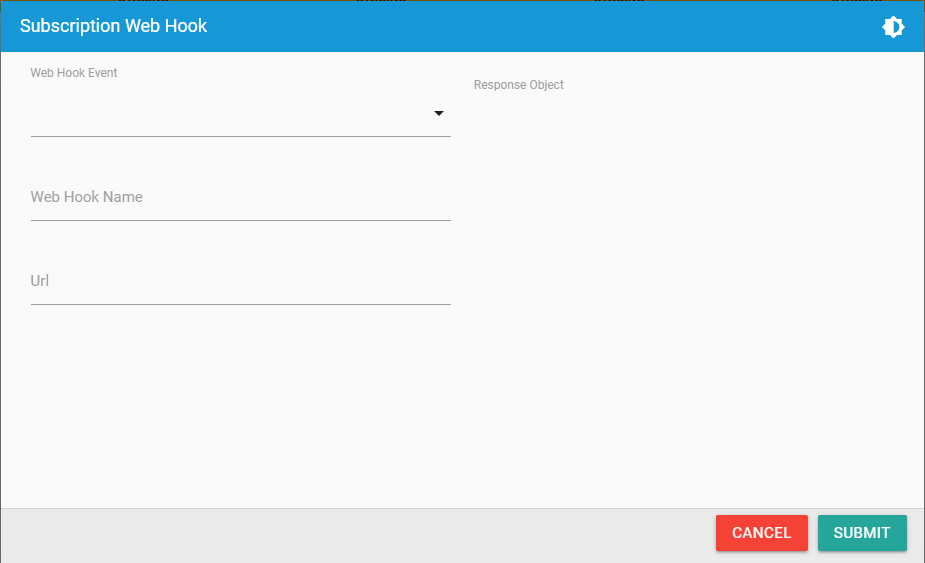
Complete the fields:
| Field | Description |
|---|---|
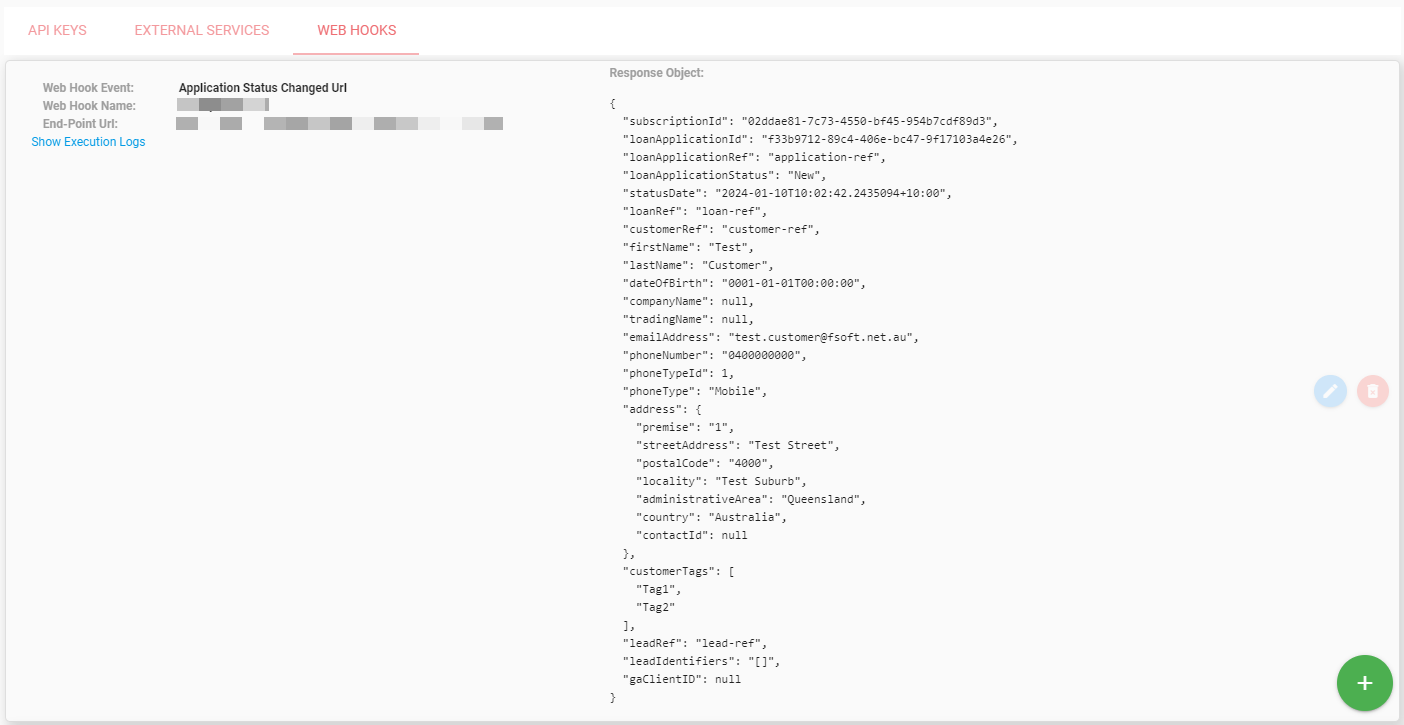
| Web Hook Event | The event type to subscribe to. Available events depend on your subscription configuration. Selecting an event displays a sample payload preview. |
| Web Hook Name | Internal label for reference. |
| URL | The HTTPS endpoint that will receive the POST. Example: https://hooks.zapier.com/hooks/catch/XXXXX/XXXXX. |
After submission, the webhook is listed with its event type, name, and endpoint URL:
Execution Logs
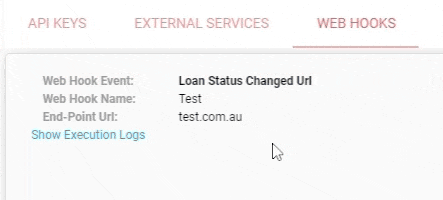
Click Show Execution Logs on a configured webhook to view the 50 most recent executions, including timestamps, HTTP response codes, and the payload sent.
Best Practices
- Verify the source. Restrict your endpoint to accept requests only from Biz Core's known IP ranges, or include a shared-secret query parameter in your configured URL.
- Respond quickly. Acknowledge with
200 OKwithin a few seconds, then process asynchronously. Long-running handlers risk timeout. - Filter downstream. Biz Core cannot filter by status — apply your business logic in the receiving system (e.g. a Zapier filter step).
- Monitor execution logs. Failed deliveries are not retried; periodic reconciliation against the API is recommended for critical workflows.
Updated 4 months ago
Did this page help you?